Collision Mesh Generation
This guide explains how to generate collision data from a Gaussian splat scene using splat-transform. It covers both voxel generation (a sparse voxel octree, .voxel.json + .voxel.bin) and mesh generation (.collision.glb) suitable for runtime collision detection.
For uploading or generating voxel collision through the SuperSplat web UI instead of the CLI, see Studio → Collision.
Overview
Two outputs are produced from the same voxelization pass:
.voxel.json/.voxel.bin— sparse voxel octree (SVO) for raycasts and broad-phase collision queries. This is the format consumed by the SuperSplat Viewer for runtime collision detection..collision.glb— triangulated mesh built from the voxel grid (only when-K/--collision-meshis passed).
A typical pipeline runs four stages, with the latter two being optional depending on the scene type:
input splat ──► filter-cluster ──► voxelize ──► fill ──► carve ──► [collision mesh]
Step 1: Isolating the scene with --filter-cluster
Splats often contain stray floaters and disconnected geometry far from the scene of interest. --filter-cluster GPU-voxelizes the input at a coarse resolution and keeps only the connected component containing --seed-pos.
splat-transform input.ply --filter-cluster --seed-pos 0,1,0 output.voxel.json
| Input | Cluster Filtered Result |
|---|---|
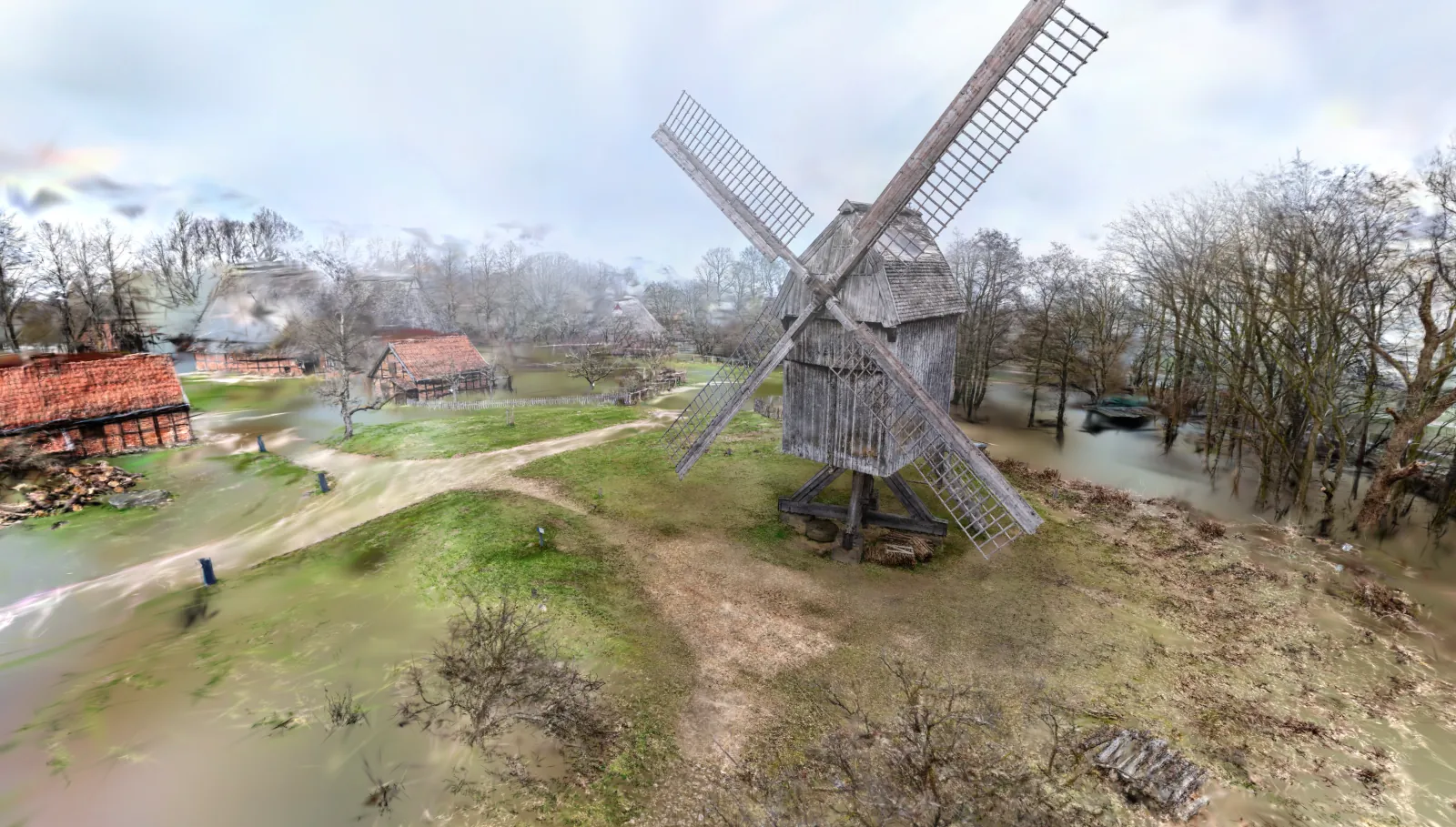 | 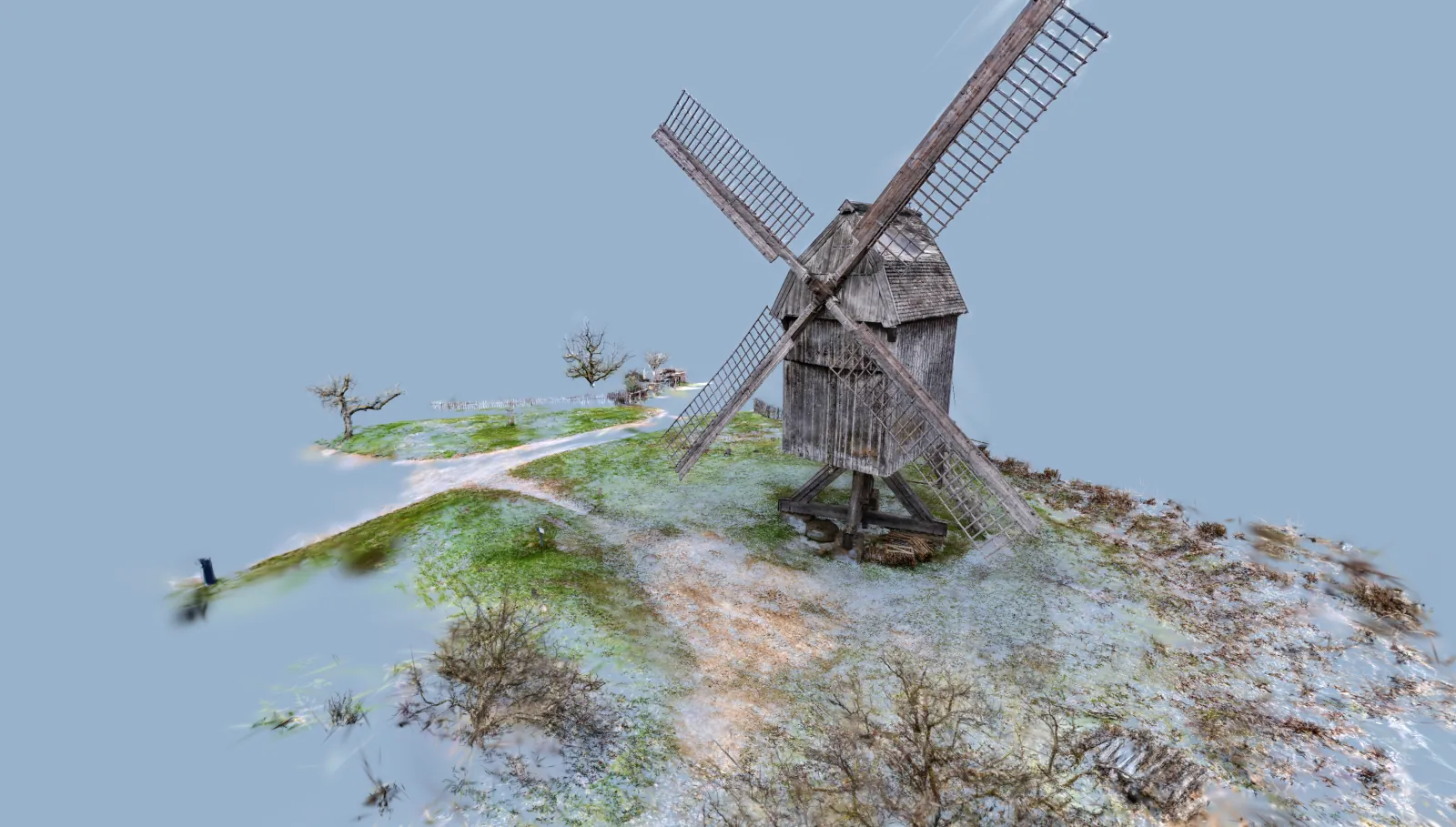 |
--filter-cluster is a general-purpose filter and can be used on its own to extract just the focus area of a scene — no voxel output required. Pipe it directly to a splat format such as .ply or .sog:
splat-transform input.ply --filter-cluster --seed-pos 0,1,0 cluster.ply
Cluster options
-D, --filter-cluster [res,op,min]
| Parameter | Default | Description |
|---|---|---|
res | 1.0 | Voxel size (world units) for the coarse clustering grid. Larger = faster, more permissive about gaps. |
op | 0.999 | Opacity threshold above which a voxel is considered solid. |
min | 0.1 | Minimum Gaussian contribution at a cluster voxel center required to keep a splat. |
Step 2: Voxelization
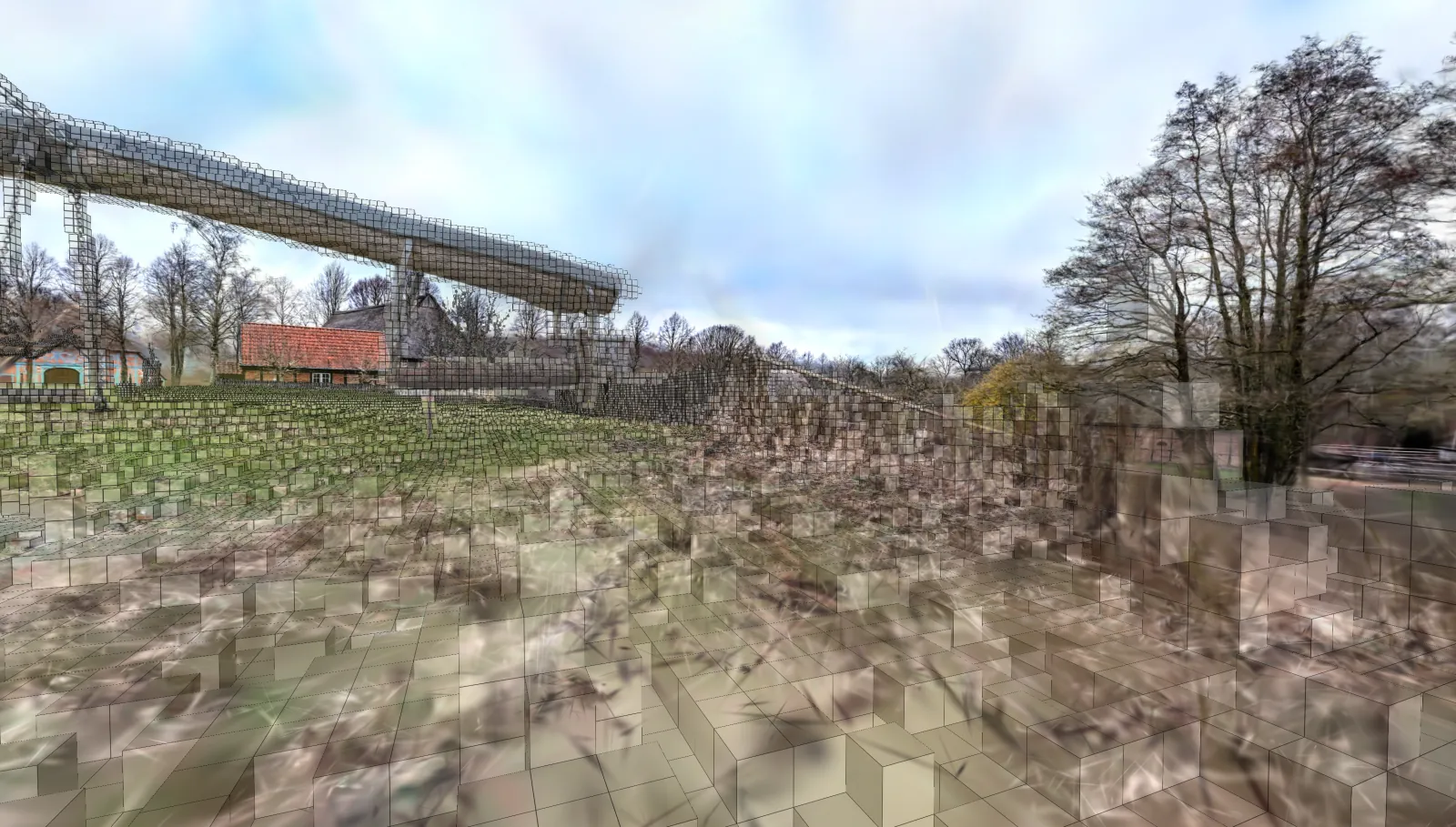
Voxelization is implicitly enabled by the output filename extension: when the output path ends in .voxel.json, splat-transform voxelizes the scene into a sparse voxel grid. This is the "raw" voxel output — every subsequent step in this guide layers on top of it.
splat-transform input.ply output.voxel.json
Voxel options
--voxel-params [size,opacity]
| Parameter | Default | Description |
|---|---|---|
size | 0.05 | Voxel edge length in world units. Smaller = higher fidelity, larger files, slower fills. |
opacity | 0.1 | Minimum splat opacity required to mark a voxel solid. |
Step 3: Sealing the shell
After voxelization, the surface is typically a thin shell with holes. Filling closes those holes so carve (the next step) has a watertight volume to flood. Two complementary options are available — one for indoor/enclosed scenes, one for outdoor/grounded scenes. They are not normally combined.
Rooms — --voxel-external-fill
For room scans, where you want a closed interior volume that carve can flood. (The flag name reflects what it does internally: it floods the exterior void so the interior remains the carvable region.) The pass:
- Dilates the solid grid by
[size]world units (converted internally to a voxel half-extent) to bridge small holes in the walls. - Flood-fills empty space inward from the bounding-box boundary — every voxel reachable from outside is marked as exterior.
- Marks the exterior region as solid in the output, leaving only the enclosed interior as empty space for carve.
--seed-pos is used as a sanity check: if the seed ends up reachable from outside (i.e. the volume isn't actually enclosed at the seed), the fill is skipped and the original grid is returned.
splat-transform input.ply output.voxel.json --voxel-external-fill --seed-pos 0,1,0
--voxel-external-fill [size]
| Parameter | Default | Description |
|---|---|---|
size | 1.6 | Dilation distance (world units) used to seal small wall gaps before flood-filling the exterior. Increase if walls have noisy holes the fill leaks through. |
Outdoor scenes — --voxel-floor-fill
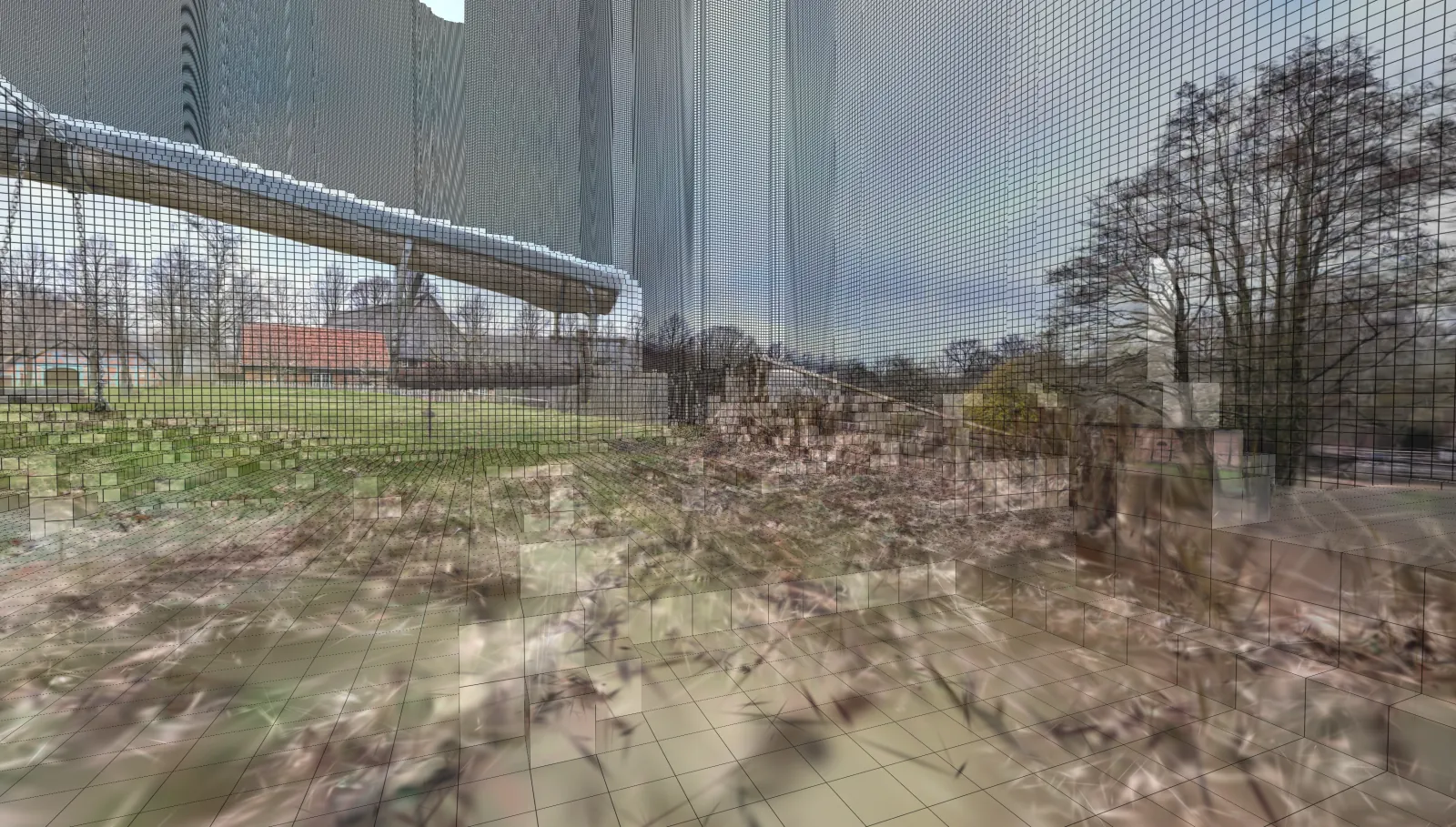
For outdoor scans, terrain, or objects on a ground plane. The pass walks each XZ column upward from the bottom of the bounding box until it hits a solid voxel, marking everything below as solid. This produces a ground volume even when the scan only captured the surface.
splat-transform input.ply output.voxel.json --voxel-floor-fill
--voxel-floor-fill [size]
| Parameter | Default | Description |
|---|---|---|
size | 1.6 | Restricts patching to XZ columns surrounded by floor within 2*size. Large empty exterior areas are left alone, so this won't accidentally fill the sky. |
Choosing
| Scene type | Fill |
|---|---|
| Rooms | --voxel-external-fill |
| Outdoor scenes | --voxel-floor-fill |
| Single object in space | (skip both) |
Step 4: Carving navigable space (--voxel-carve)
Flood-fills a capsule volume from --seed-pos, marking voxels the capsule can reach as navigable. Once the shell has been sealed (Step 3), carve produces the actual walkable region used at runtime. Carving removes unnecessary detail and results in smoother runtime collisions and smaller files.
splat-transform input.ply output.voxel.json --voxel-carve --seed-pos 0,1,0
| Original | Carved |
|---|---|
|  |
The capsule must fit at the seed position. If carve produces no output, the seed is likely inside solid geometry or the capsule is too large to fit.
Carve options
--voxel-carve [h,r]
| Parameter | Default | Description |
|---|---|---|
h | 1.6 | Capsule height (world units), roughly the agent height. 0 disables carve. |
r | 0.2 | Capsule radius (world units), roughly the agent radius. |
Step 5: Generating the collision mesh (-K / --collision-mesh)
-K, --collision-mesh [smooth|faces]
| Parameter | Default | Description |
|---|---|---|
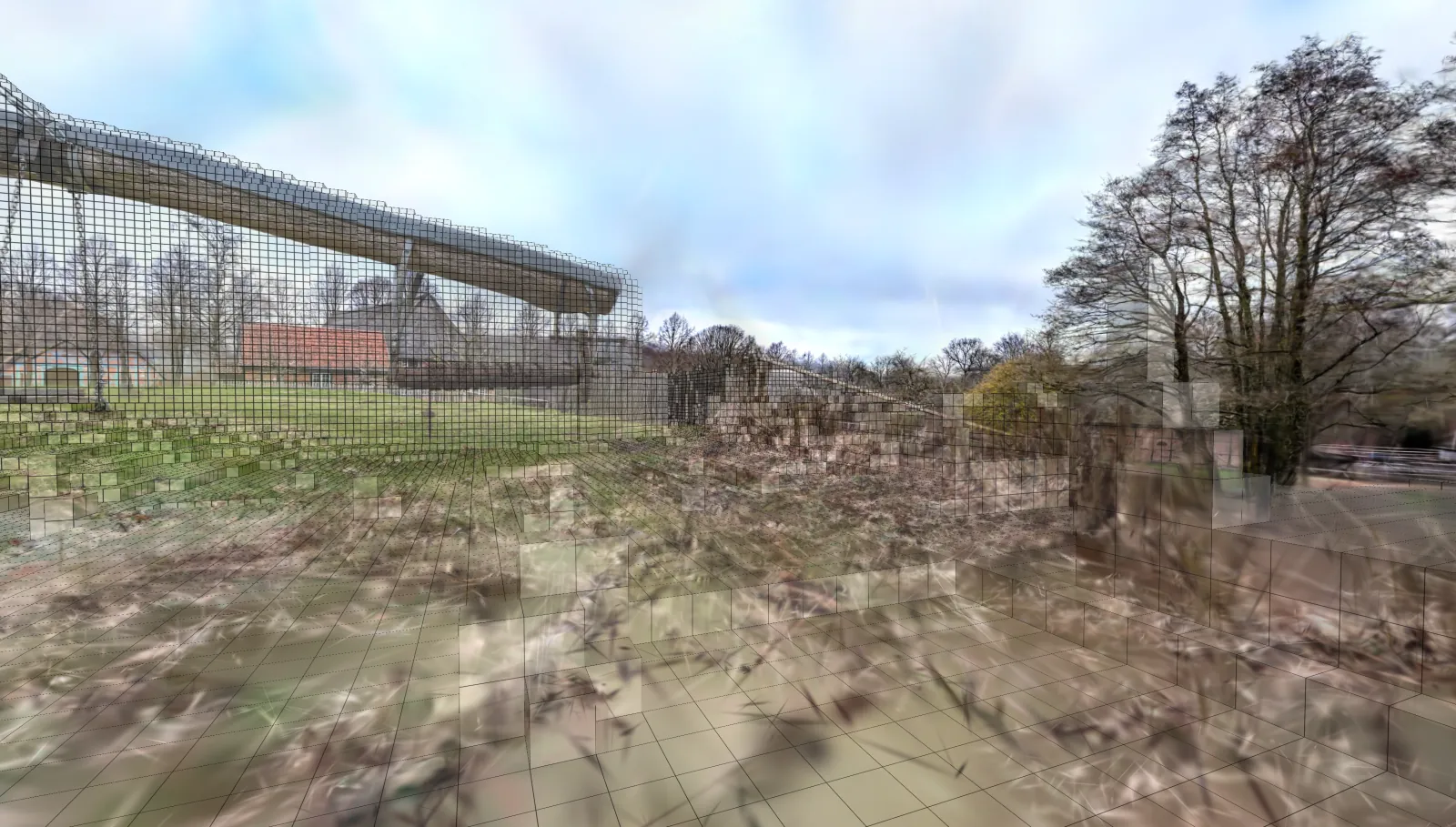
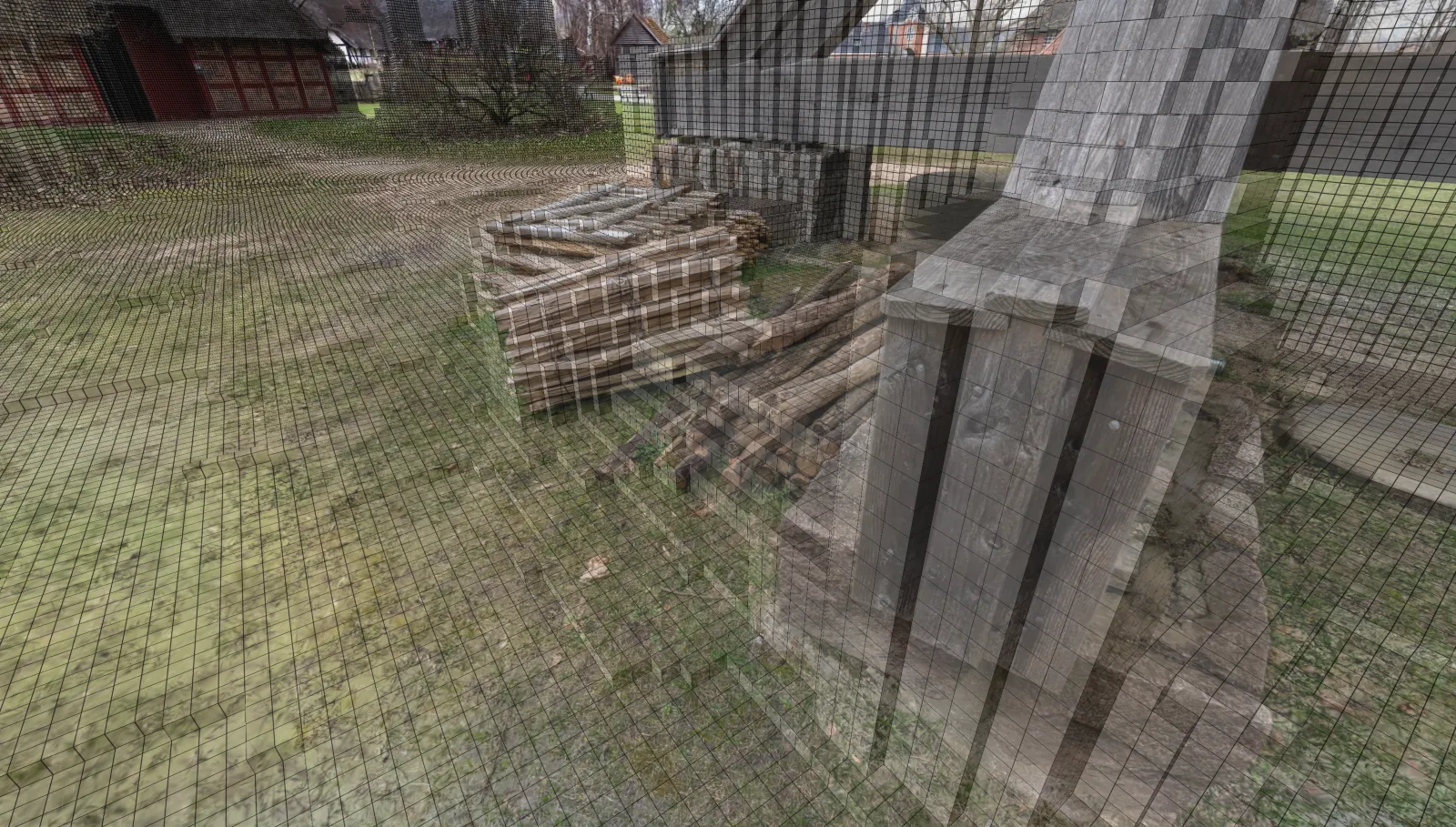
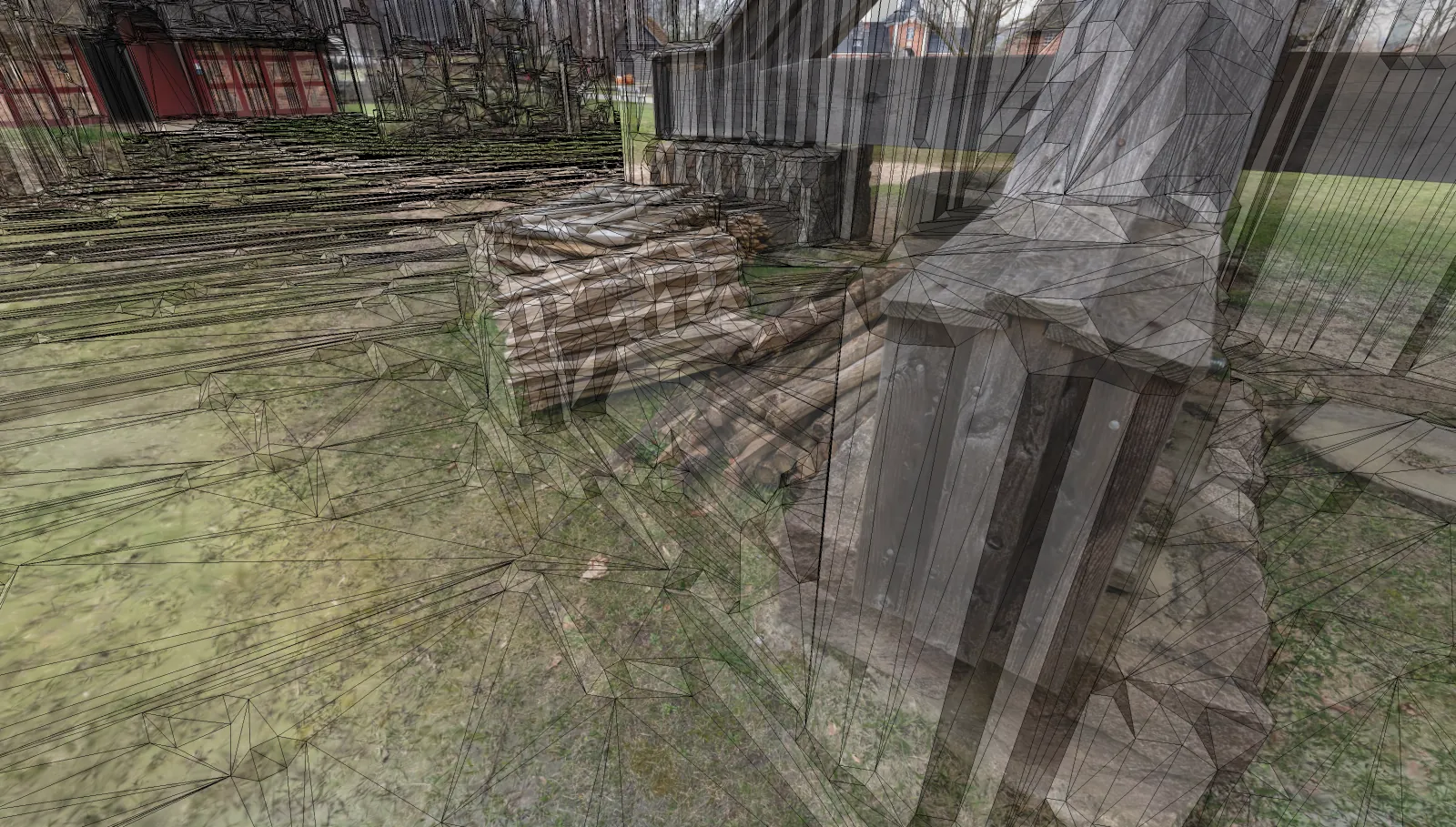
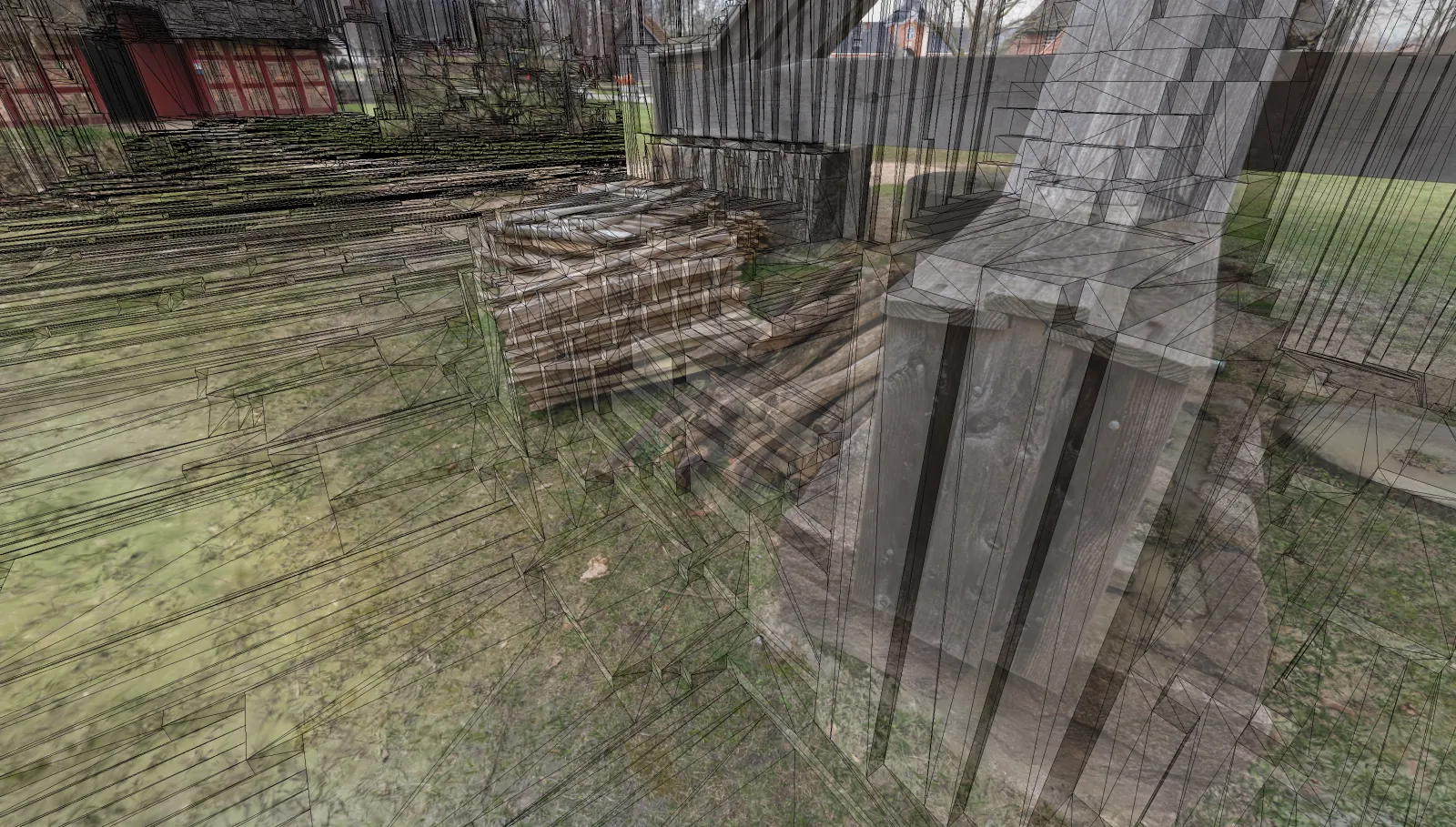
| shape | smooth | smooth = marching-cubes mesh with coplanar merge (lower triangle count, natural contours). faces = watertight axis-aligned voxel faces (higher triangle count, exactly matches the voxel volume). |
| Voxel | Smooth Mesh | Faces Mesh |
|---|---|---|
 |  |  |
smooth (default)
A smoothed mesh fitted to the voxel surface. Lower triangle count, more natural contours, suitable for character collision.
faces
A watertight mesh built from the exposed voxel faces — every face is axis-aligned to the voxel grid. Higher triangle count but exactly matches the voxel volume; useful when collision must agree with raycasts against the voxel data.
Reference: --seed-pos
--seed-pos is a shared input consumed by several stages of the pipeline:
--filter-cluster— picks the connected component containing this point.--voxel-external-fill— sanity check; if the seed ends up reachable from outside, the fill is skipped.--voxel-carve— flood origin for the capsule.
| Flag | Parameters | Default | Description |
|---|---|---|---|
--seed-pos | x,y,z | 0,0,0 | World-space seed point used by --filter-cluster, --voxel-external-fill, and --voxel-carve. |
Full examples
Interior room scan
splat-transform room.ply \
    --filter-cluster --seed-pos 0,1,0 \
    room.voxel.json --voxel-external-fill --voxel-carve -K
Exterior terrain
splat-transform terrain.ply \
    --filter-cluster --seed-pos 0,0,0 \
    terrain.voxel.json --voxel-floor-fill -K
High-fidelity voxel-face mesh
splat-transform input.ply \
    output.voxel.json --voxel-params 0.025,0.1 -K faces
Troubleshooting
- Carve produces nothing.
--seed-posis inside solid geometry, or the capsule (h,r) doesn't fit at the seed. Move the seed or shrink the capsule. --voxel-external-fillleaks through walls. Increase itssize, or lower the voxelopacityso thin walls are marked solid.- Carve leaks into adjacent rooms. Walls are too thin or have gaps. Lower voxel
sizefor higher resolution, or increase--voxel-external-fillsize. - Collision mesh is too dense. Use
-K smooth(default), or coarsen--voxel-paramssize. --filter-clusterselects the wrong cluster. Move--seed-posinto the cluster you want, or increase itsresto bridge intentional gaps.
See also
- splat-transform CLI reference — full option reference including Voxel Output Options.
- Docker Backend — running the GPU-only voxel/collision features in a container.
- Studio → Collision — uploading or generating voxel collision through the SuperSplat web UI.